
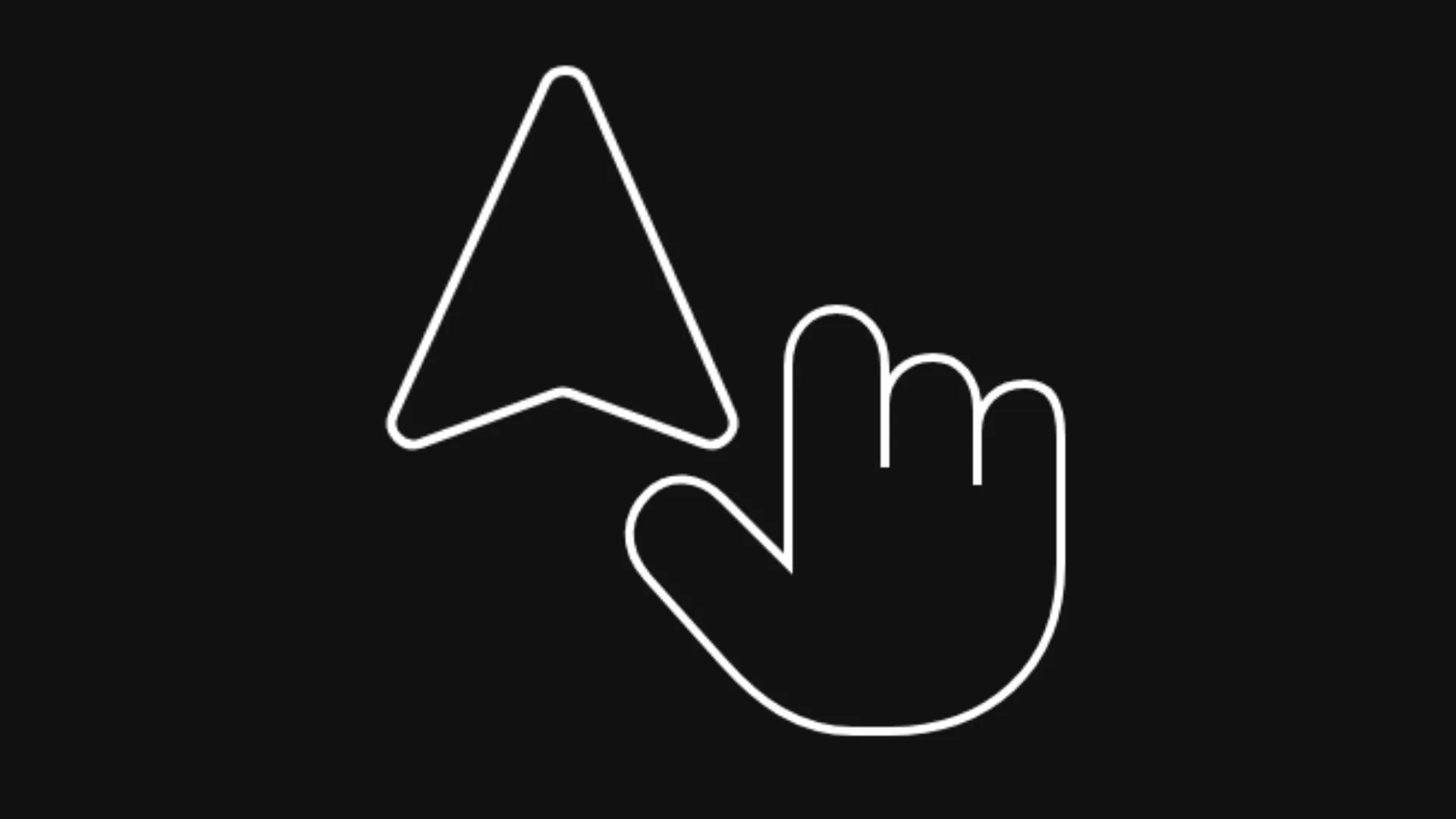
What We're Building
A physics-driven, buttery-smooth custom cursor featuring:
- Physics-based spring motion powered by numerical Euler sub-stepping for silky 60fps/120fps+ responsiveness
- Dynamic SVG state morphing between natural pointer arrow and interactive click hand
- Global event delegation for instant hover detection on links, buttons, and clickable elements
- Zero external dependencies: pure React, standard Web APIs, and GPU-accelerated CSS transforms
- Fully accessible with automatic disabling on touch devices (
pointer: coarse) and reduced motion preferences - Theme-reactive styling with CSS custom properties for seamless light and dark mode support
In a hurry? Jump straight to the Full Component Code.
Deep Dive: How the Core Features Work
Before jumping into the full code, let's explore the key mechanics that make this cursor feel so organic and responsive:
1. Spring Physics with Euler Sub-stepping
Instead of linear interpolation (lerp) which can feel sluggish or lag behind sudden mouse flicks, this cursor employs a damped harmonic oscillator simulated with Euler sub-stepping:
app/smooth-cursor.tsxconst STIFFNESS = 1400;
const DAMPING = 70;

function frame(now: number) {
  const dt = Math.min((now - last) / 1000, 1 / 30);
  last = now;

  const FIXED = 1 / 360;
  const sub = Math.max(1, Math.ceil(dt / FIXED));
  const h = dt / sub;

  for (let i = 0; i < sub; i++) {
    const ax = STIFFNESS * (tx - x) - DAMPING * vx;
    const ay = STIFFNESS * (ty - y) - DAMPING * vy;
    vx += ax * h;
    vy += ay * h;
    x += vx * h;
    y += vy * h;
  }

  el!.style.transform = `translate3d(${x - 12.5}px, ${y - 2.5}px, 0)`;
  raf = requestAnimationFrame(frame);
}- Delta Time Clamping:
Math.min((now - last) / 1000, 1 / 30)prevents physics explosions when the user switches browser tabs or returns after the browser pauses frames. - Fixed Sub-stepping (`1/360s`): Numerical integration of high stiffness equations can oscillate or diverge if the time slice is too large. Breaking large frames into smaller sub-steps (
h = dt / sub) guarantees mathematical stability on both 60Hz and 240Hz+ monitors. - Hardware Acceleration: Using
translate3densures GPU compositor thread rendering without triggering layout recalculations.
2. SVG Pointer & Hand State Morphing
Rather than instantly swapping icons with an abrupt toggle, the cursor smoothly rotates, scales, and fades between the pointer arrow and interactive hand:
app/globals.css.smooth-cursor svg {
  position: absolute;
  top: 0;
  left: 0;
  display: block;
  overflow: visible;
  transform-origin: 12.5px 2.5px;
  shape-rendering: geometricPrecision;
  transition:
    opacity 160ms cubic-bezier(0.22, 1, 0.36, 1),
    transform 220ms cubic-bezier(0.22, 1, 0.36, 1);
}
.cursor-arrow {
  opacity: 1;
  transform: rotate(-28deg) scale(1);
}
.cursor-hand {
  opacity: 0;
  transform: rotate(-14deg) scale(0.72);
}
.smooth-cursor.is-hand .cursor-arrow {
  opacity: 0;
  transform: rotate(-14deg) scale(0.72);
}
.smooth-cursor.is-hand .cursor-hand {
  opacity: 1;
  transform: rotate(0deg) scale(1);
}- Transform Origin Alignment:
transform-origin: 12.5px 2.5pxpins the rotation and scaling anchor directly at the tip of the arrow, ensuring the click coordinate never shifts visually during transitions. - Organic Cubic Bezier:
cubic-bezier(0.22, 1, 0.36, 1)creates a snappy pop into the hand state and a smooth snap back to the arrow.
3. Event Delegation & Interactive Target Detection
Attaching hover listeners to every button or link creates memory overhead and breaks with dynamically rendered components. Instead, we listen at the document level using pointerover and pointerout events:
app/smooth-cursor.tsxfunction syncCursorMode(target: Element | null) {
  const isHand = Boolean(
    target?.closest("a, button, [data-clickable], [role='button'], .cursor-pointer"),
  );
  el!.classList.toggle("is-hand", isHand);
}

function onPointerOver(e: PointerEvent) {
  syncCursorMode(e.target as Element | null);
}

function onPointerOut(e: PointerEvent) {
  const next = e.relatedTarget as Element | null;
  syncCursorMode(next);
}- Element Closest Matching:
target?.closest(...)recursively inspects the DOM tree up to the root, identifying nested SVG icons or spans inside buttons without requiring additional markup. - Custom Escape Hatches: Adding
data-clickableorcursor-pointerallows any custom element to trigger the hand cursor state.
4. Replacing the System Cursor Cleanly
To prevent the native OS cursor from competing with our smooth cursor, we apply a global style class to the root document:
app/globals.css.has-smooth-cursor,
.has-smooth-cursor * {
  cursor: none !important;
}

.smooth-cursor {
  position: fixed;
  top: 0;
  left: 0;
  z-index: 9999;
  pointer-events: none;
  opacity: 0;
  transform-origin: 12.5px 2.5px;
  transition: opacity 0.25s ease;
  will-change: transform;
  backface-visibility: hidden;
  -webkit-backface-visibility: hidden;
}- Pointer Events None:
pointer-events: noneensures the custom cursor element never blocks clicks, drag events, or text selection. - Dynamic Attachment: The class is applied in
useEffectonly after checking client-side media capabilities, preventing flash of hidden cursor during server-side rendering (SSR).
5. Touch Devices & Accessibility
Custom cursors on mobile screens or touchpads introduce frustrating visual bugs. We check for coarse pointing devices and motion preferences:
app/smooth-cursor.tsxif (
  window.matchMedia("(pointer: coarse)").matches ||
  window.matchMedia("(prefers-reduced-motion: reduce)").matches
)
  return;
And in CSS:
app/globals.css@media (pointer: coarse) {
  .smooth-cursor {
    display: none;
  }
}
If a user visits from an iPad, iPhone, Android device, or prefers reduced motion, the component terminates early and the native system behavior remains completely untouched.
6. Dynamic Theme Palette
The SVG paths utilize CSS variables for fill and stroke:
app/globals.css:root {
  --cursor-fill: #1a1a1e;
  --cursor-stroke: #52525b;
}

[data-theme="light"] {
  --cursor-fill: #ffffff;
  --cursor-stroke: #27272a;
}
When the user switches between light and dark themes, the cursor automatically updates its color scheme in real time without triggering React state updates or component re-renders.
Project Structure
Here is how the project is organized. You only need 3 files:
Project Structureapp/
├── smooth-cursor.tsx      # Smooth cursor spring physics component
├── layout.tsx             # Mounting cursor globally in root layout
└── globals.css            # Cursor CSS rules and theme variables
No external libraries are required! This component works with vanilla React, TypeScript, and modern CSS.
Full Component Code
Ready to drop this into your project? Copy and paste the 3 files below:
1. Global CSS & Theme Tokens
Add the cursor classes and CSS custom properties to your global stylesheet:
app/globals.css:root {
  --cursor-fill: #1a1a1e;
  --cursor-stroke: #52525b;
}

[data-theme="light"] {
  --cursor-fill: #ffffff;
  --cursor-stroke: #27272a;
}

.has-smooth-cursor,
.has-smooth-cursor * {
  cursor: none !important;
}

.smooth-cursor {
  position: fixed;
  top: 0;
  left: 0;
  z-index: 9999;
  pointer-events: none;
  opacity: 0;
  transform-origin: 12.5px 2.5px;
  transition: opacity 0.25s ease;
  will-change: transform;
  backface-visibility: hidden;
  -webkit-backface-visibility: hidden;
}

.smooth-cursor svg {
  position: absolute;
  top: 0;
  left: 0;
  display: block;
  overflow: visible;
  transform-origin: 12.5px 2.5px;
  shape-rendering: geometricPrecision;
  transition:
    opacity 160ms cubic-bezier(0.22, 1, 0.36, 1),
    transform 220ms cubic-bezier(0.22, 1, 0.36, 1);
}

.cursor-arrow {
  opacity: 1;
  transform: rotate(-28deg) scale(1);
}

.cursor-hand {
  opacity: 0;
  transform: rotate(-14deg) scale(0.72);
}

.smooth-cursor.is-hand .cursor-arrow {
  opacity: 0;
  transform: rotate(-14deg) scale(0.72);
}

.smooth-cursor.is-hand .cursor-hand {
  opacity: 1;
  transform: rotate(0deg) scale(1);
}

@media (pointer: coarse) {
  .smooth-cursor {
    display: none;
  }
}2. Smooth Cursor Component
Create the SmoothCursor component with spring physics and SVG vector graphics:
app/smooth-cursor.tsx"use client";

import { useEffect, useRef } from "react";

export function SmoothCursor() {
  const ref = useRef<HTMLDivElement>(null);

  useEffect(() => {
    const el = ref.current;
    if (!el) return;
    if (
      window.matchMedia("(pointer: coarse)").matches ||
      window.matchMedia("(prefers-reduced-motion: reduce)").matches
    )
      return;

    const STIFFNESS = 1400;
    const DAMPING = 70;

    let tx = window.innerWidth / 2;
    let ty = window.innerHeight / 2;
    let x = tx;
    let y = ty;
    let vx = 0;
    let vy = 0;
    let visible = false;
    let last = performance.now();
    let raf = 0;

    function onMove(e: MouseEvent) {
      tx = e.clientX;
      ty = e.clientY;
      if (!visible) {
        visible = true;
        x = tx;
        y = ty;
        el!.style.opacity = "1";
      }
    }
    function onLeave() {
      el!.style.opacity = "0";
    }
    function onEnter() {
      if (visible) el!.style.opacity = "1";
    }
    function syncCursorMode(target: Element | null) {
      const isHand = Boolean(
        target?.closest("a, button, [data-clickable], [role='button'], .cursor-pointer"),
      );
      el!.classList.toggle("is-hand", isHand);
    }
    function onPointerOver(e: PointerEvent) {
      syncCursorMode(e.target as Element | null);
    }
    function onPointerOut(e: PointerEvent) {
      const next = e.relatedTarget as Element | null;
      syncCursorMode(next);
    }

    function frame(now: number) {
      const dt = Math.min((now - last) / 1000, 1 / 30);
      last = now;

      const FIXED = 1 / 360;
      const sub = Math.max(1, Math.ceil(dt / FIXED));
      const h = dt / sub;

      for (let i = 0; i < sub; i++) {
        const ax = STIFFNESS * (tx - x) - DAMPING * vx;
        const ay = STIFFNESS * (ty - y) - DAMPING * vy;
        vx += ax * h;
        vy += ay * h;
        x += vx * h;
        y += vy * h;
      }

      el!.style.transform = `translate3d(${x - 12.5}px, ${y - 2.5}px, 0)`;
      raf = requestAnimationFrame(frame);
    }

    document.documentElement.classList.add("has-smooth-cursor");
    window.addEventListener("mousemove", onMove);
    document.addEventListener("pointerover", onPointerOver);
    document.addEventListener("pointerout", onPointerOut);
    document.addEventListener("mouseleave", onLeave);
    document.addEventListener("mouseenter", onEnter);
    raf = requestAnimationFrame(frame);

    return () => {
      document.documentElement.classList.remove("has-smooth-cursor");
      window.removeEventListener("mousemove", onMove);
      document.removeEventListener("pointerover", onPointerOver);
      document.removeEventListener("pointerout", onPointerOut);
      document.removeEventListener("mouseleave", onLeave);
      document.removeEventListener("mouseenter", onEnter);
      cancelAnimationFrame(raf);
    };
  }, []);

  return (
    <div ref={ref} className="smooth-cursor" aria-hidden>
      <svg
        className="cursor-arrow"
        xmlns="http://www.w3.org/2000/svg"
        width={25}
        height={27}
        viewBox="0 0 50 54"
        fill="none"
        shapeRendering="geometricPrecision"
      >
        <path
          d="M42.6817 41.1495L27.5103 6.79925C26.7269 5.02557 24.2082 5.02558 23.3927 6.79925L7.59814 41.1495C6.75833 42.9759 8.52712 44.8902 10.4125 44.1954L24.3757 39.0496C24.8829 38.8627 25.4385 38.8627 25.9422 39.0496L39.8121 44.1954C41.6849 44.8902 43.4884 42.9759 42.6817 41.1495Z"
          fill="var(--cursor-fill)"
          stroke="var(--cursor-stroke)"
          strokeWidth={4.5}
          strokeLinejoin="round"
          strokeLinecap="round"
        />
      </svg>
      <svg
        className="cursor-hand"
        xmlns="http://www.w3.org/2000/svg"
        width={27}
        height={27}
        viewBox="0 0 54 54"
        fill="none"
        shapeRendering="geometricPrecision"
      >
        <path
          d="M20.5 31V10.5C20.5 6.5 23 4 26 4C29 4 31.5 6.5 31.5 10.5V22V15C31.5 11.5 34 9.5 37 9.5C40 9.5 42 12 42 15.5V24V18C42 14.5 44.5 12.5 47.5 12.5C50.5 12.5 51.5 15 51.5 18.5V33C51.5 45 43 52 32 52H28C21.5 52 17 48.5 13 44L4.5 34.5C1.5 31 2 27.5 4.5 25C7 22.5 10.5 23 13 25.5L20.5 33Z"
          fill="var(--cursor-fill)"
          stroke="var(--cursor-stroke)"
          strokeWidth={4.5}
          strokeLinecap="round"
          strokeLinejoin="round"
        />
      </svg>
    </div>
  );
}3. Root Layout Integration
Render the <SmoothCursor /> component at the root level of your application:
app/layout.tsximport { SmoothCursor } from "./smooth-cursor";
import "./globals.css";

export default function RootLayout({
  children,
}: {
  children: React.ReactNode;
}) {
  return (
    <html lang="en">
      <body className="antialiased">
        <SmoothCursor />
        {children}
      </body>
    </html>
  );
}Summary
| Feature | Technology / API | Key Concept |
|---|---|---|
| Spring Physics | RequestAnimationFrame | Damped harmonic oscillator with Euler sub-stepping (1/360s) |
| Cursor Morphing | CSS Transforms & Transitions | Rotation & scale interpolation with custom cubic bezier |
| Element Detection | Event Delegation (pointerover / pointerout) | Non-intrusive target.closest() matching |
| OS Cursor Replacement | Dynamic Root Class (.has-smooth-cursor) | Global cursor: none !important and pointer-events: none |
| Performance | Pure Web APIs (Zero Dependencies) | GPU compositor offloading with translate3d |
| Accessibility | Media Queries & MatchMedia | Automatic fallback for pointer: coarse and reduced motion |
Happy coding!